Advanced Acquisition and Reporting SW

AspenView™

AspenView™
Introducing AspenView

Advanced Acquisition and Reporting Software for Digital Radiography

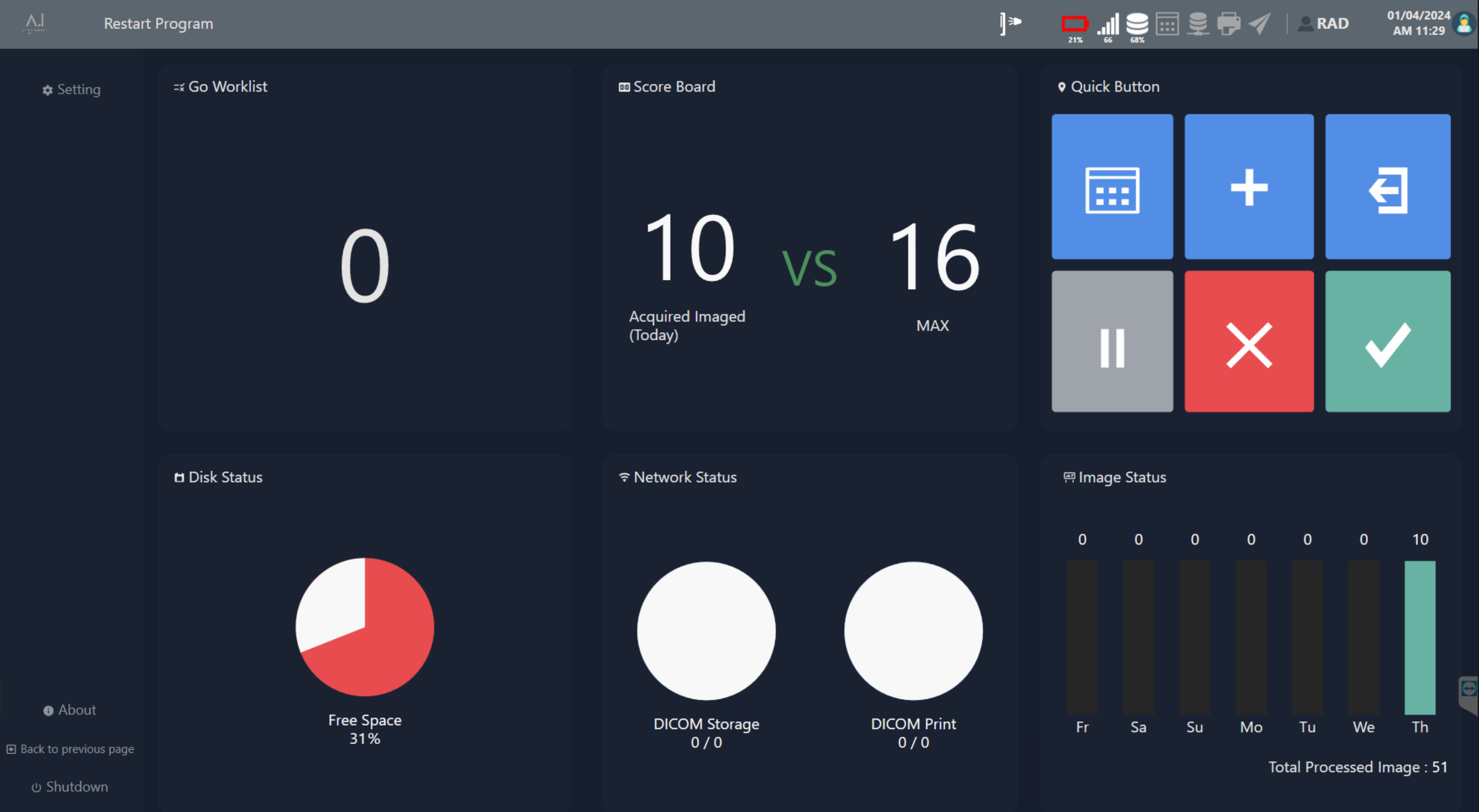
AspenView™ is advanced digital radiography (DR) software that enhances image quality and streamlines workflow in various clinical settings. Compatible with DR flat panel detectors, it integrates image acquisition, X-ray generator control, and diagnostic reporting into a user-friendly interface. Designed to serve hospitals, imaging centers, mobile clinics, and retrofit applications, AspenView™ supports robust interoperability with multi-vendor X-ray systems and comprehensive device management capabilities. Its intuitive graphical user interface supports both touchscreen and traditional input methods, facilitating rapid adoption and minimizing training requirements.

AspenView™
AspenView

Functional and Technical Specs

Patient Registration & Exam Management


  • DICOM Modality Worklist (MWL) integration for automatic retrieval of patient demographics
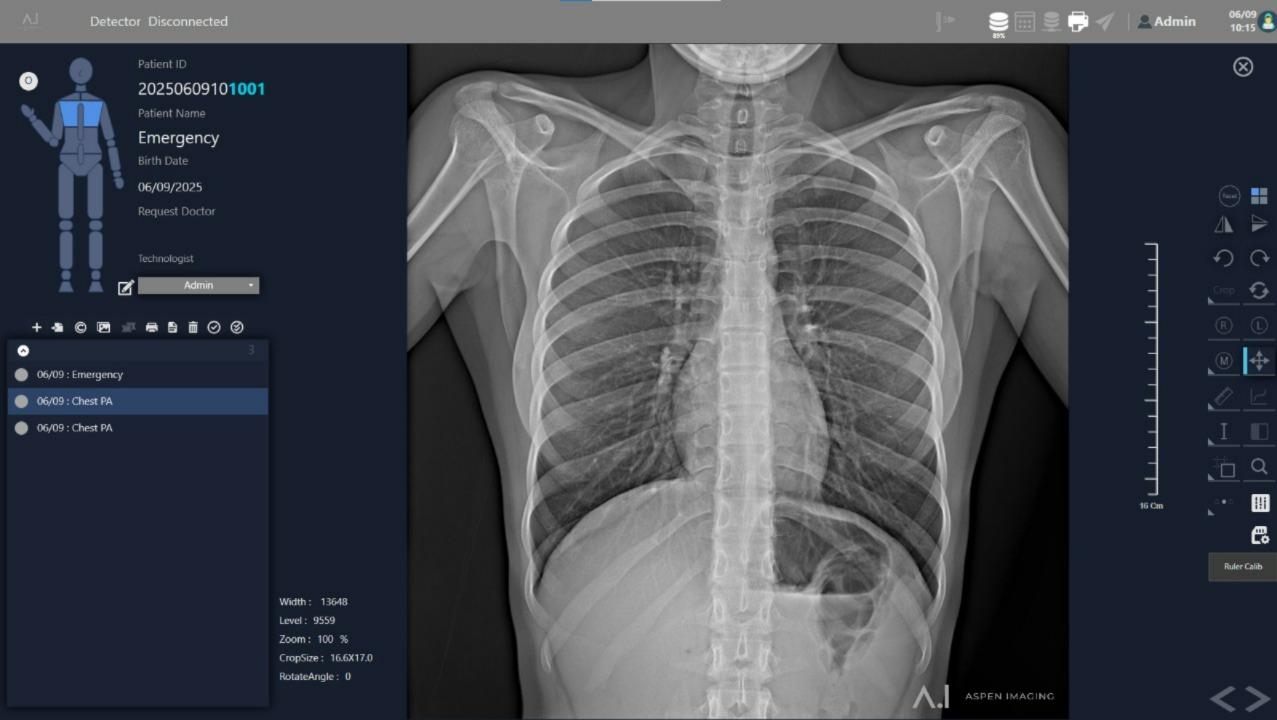
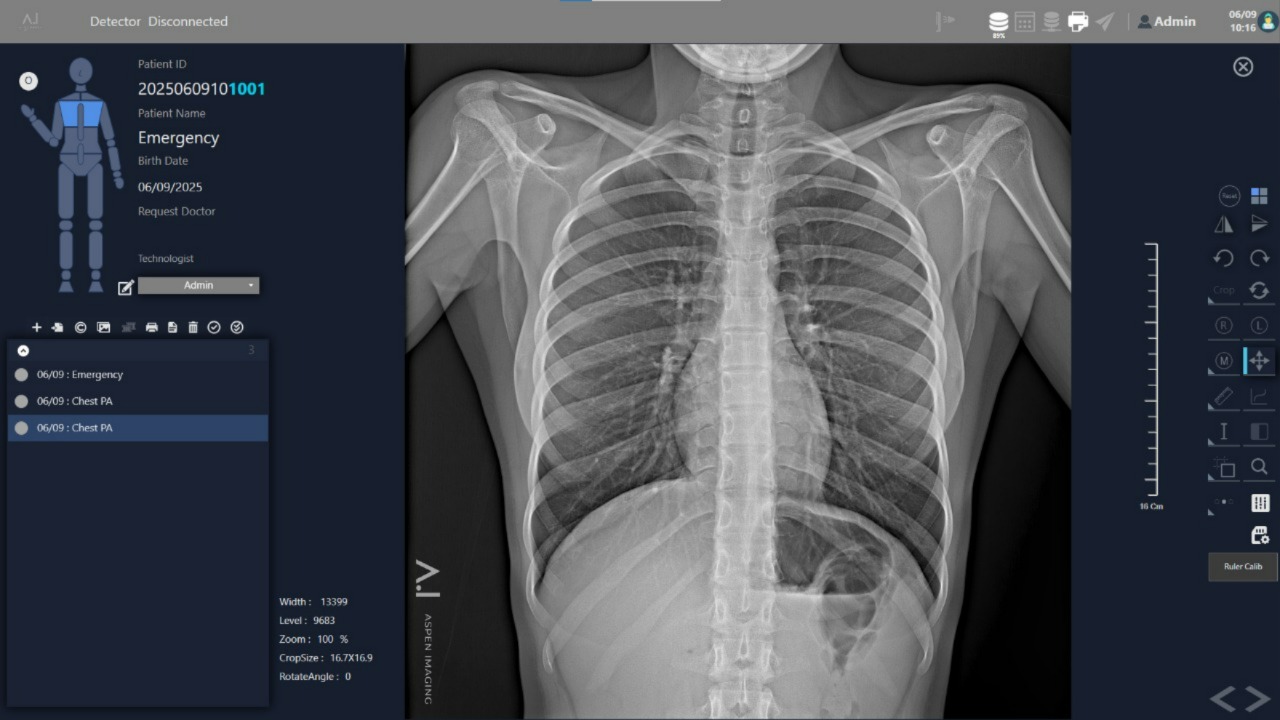
  • Emergency Scan Mode allows acquisition without prior patient registration
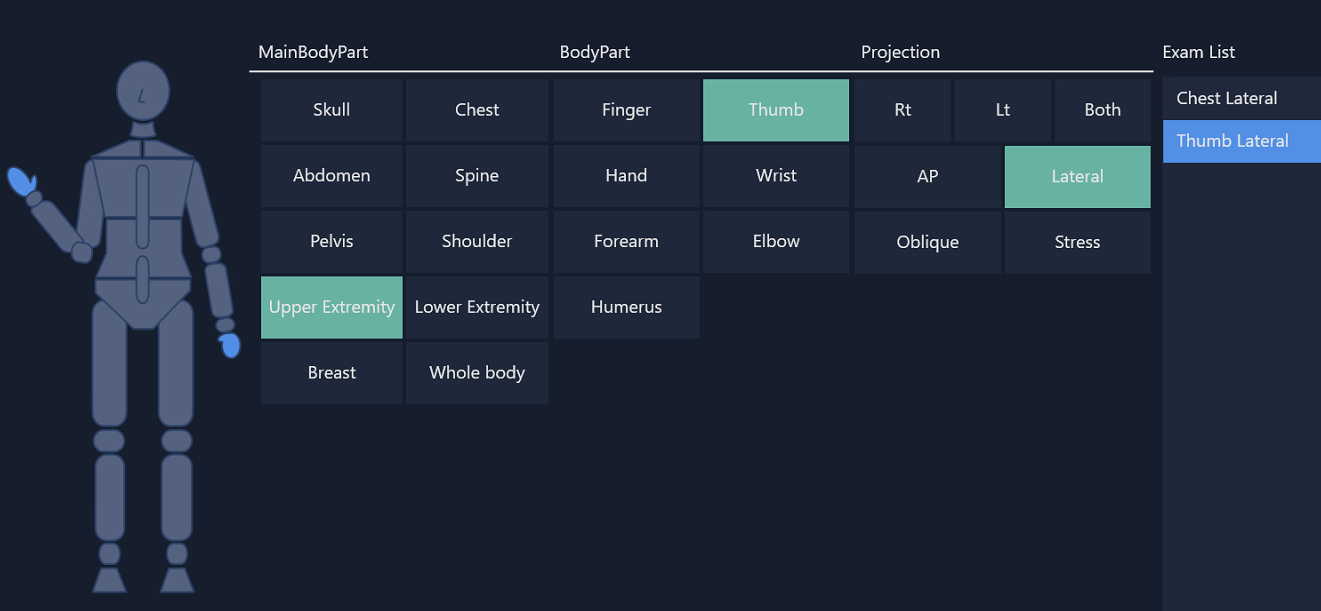
  • Exam List Management with capabilities for exam duplication, rejection, and post-acquisition additions
  • MWL integration utilizes standard DICOM C-FIND query protocols
  • Optional HL7 ADT feed integration enables real-time patient data synchronization
Patient Registration & Exam Management
Image Acquisition & Quality Assurance

Image Acquisition & Quality Assurance


  • Automatic Exposure Detection (AED) for precise synchronization with X-ray hardware
  • Live Preview feature displays acquired images within seconds post-exposure
  • Compatible with a wide range of flat panel DR detectors from various manufacturers
  • Built-in Procedure Wizard guides operators through standardized acquisition protocols
  • Supports DICOM Modality Performed Procedure Step (MPPS) for workflow tracking

Advanced Image Processing & Diagnostics


  • Organ-specific image processing algorithms for enhanced contrast and noise reduction
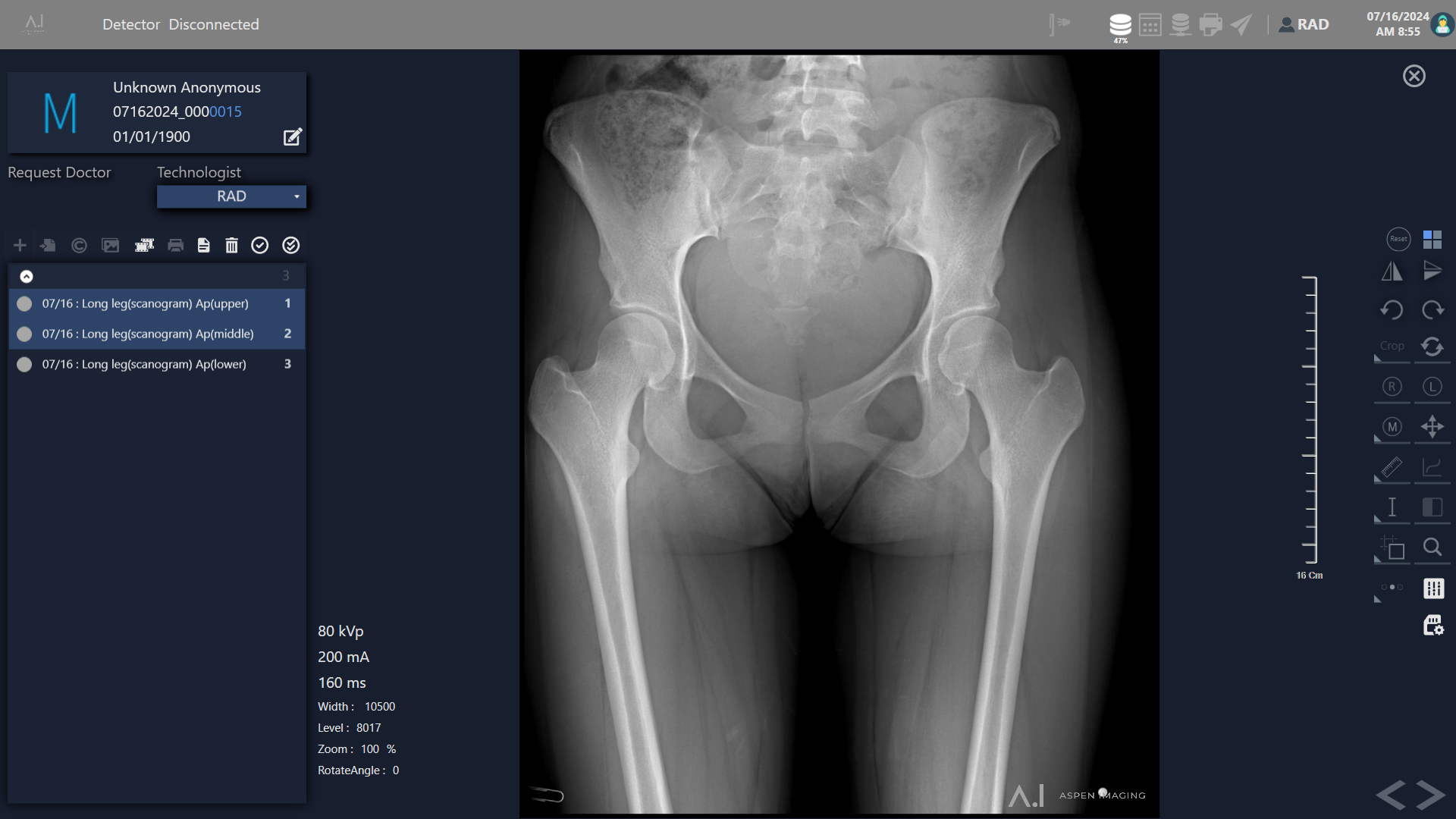
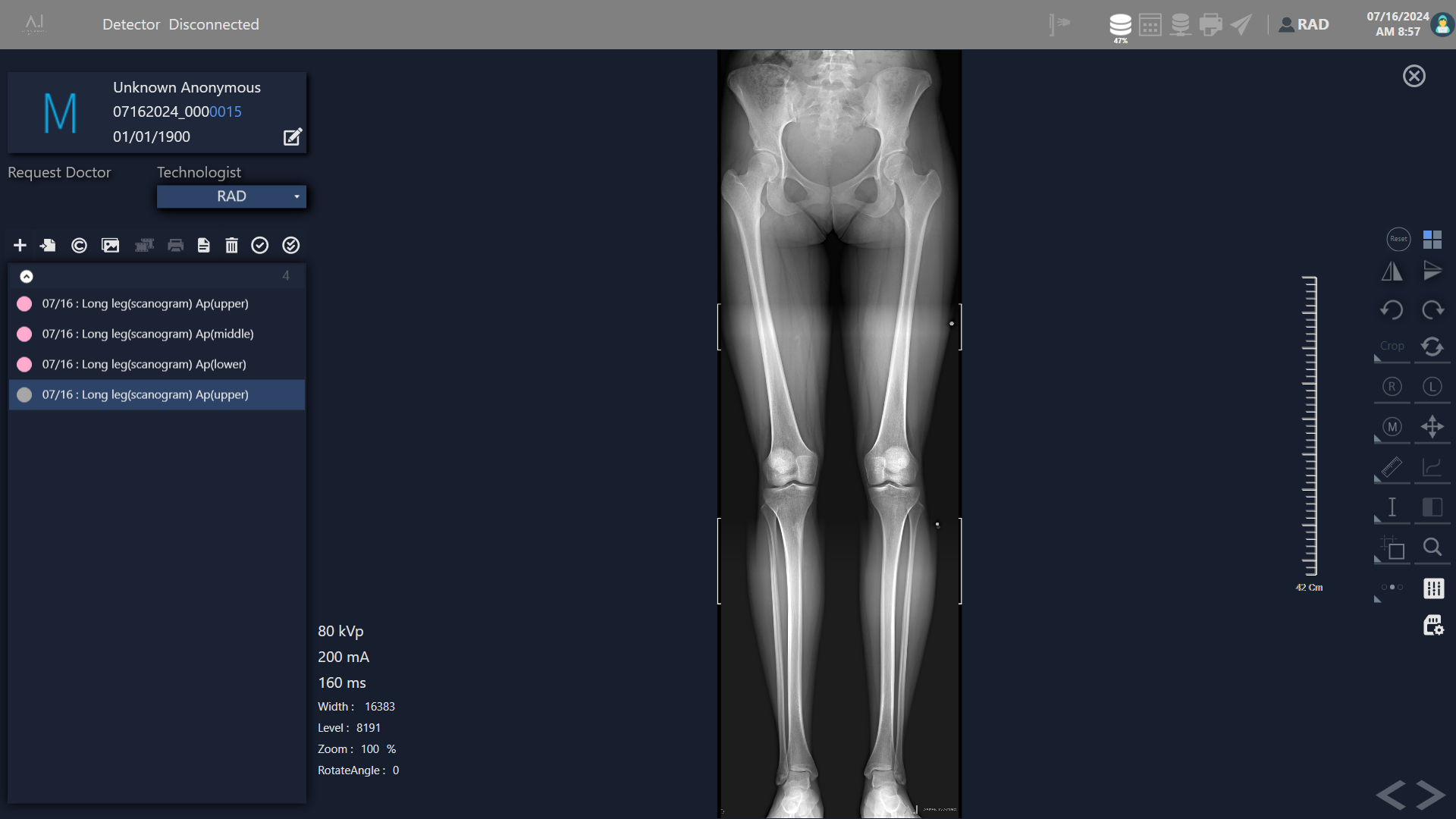
  • Long-length stitching module for full-spine or lower extremity studies
  • Linear and angular measurement tools for fracture and alignment evaluation
  • Cobb angle calculator for scoliosis assessment
  • Cardiothoracic ratio (CTR) measurement tools for cardiac diagnostics
  • GPU-accelerated image processing ensures real-time performance
Advanced Image Processing & Diagnostics
User Interface & Workflow Efficiency

User Interface & Workflow Efficiency


  • Touchscreen-optimized user interface with responsive design elements
  • Role-based UI customization for technologists, radiologists, and administrators
  • Integrated Procedure Wizard enforces standardized protocols
  • UI built on modern frameworks supporting Windows touch APIs
  • Localization files comply with Unicode standards for full international character support

Interoperability & System Integration


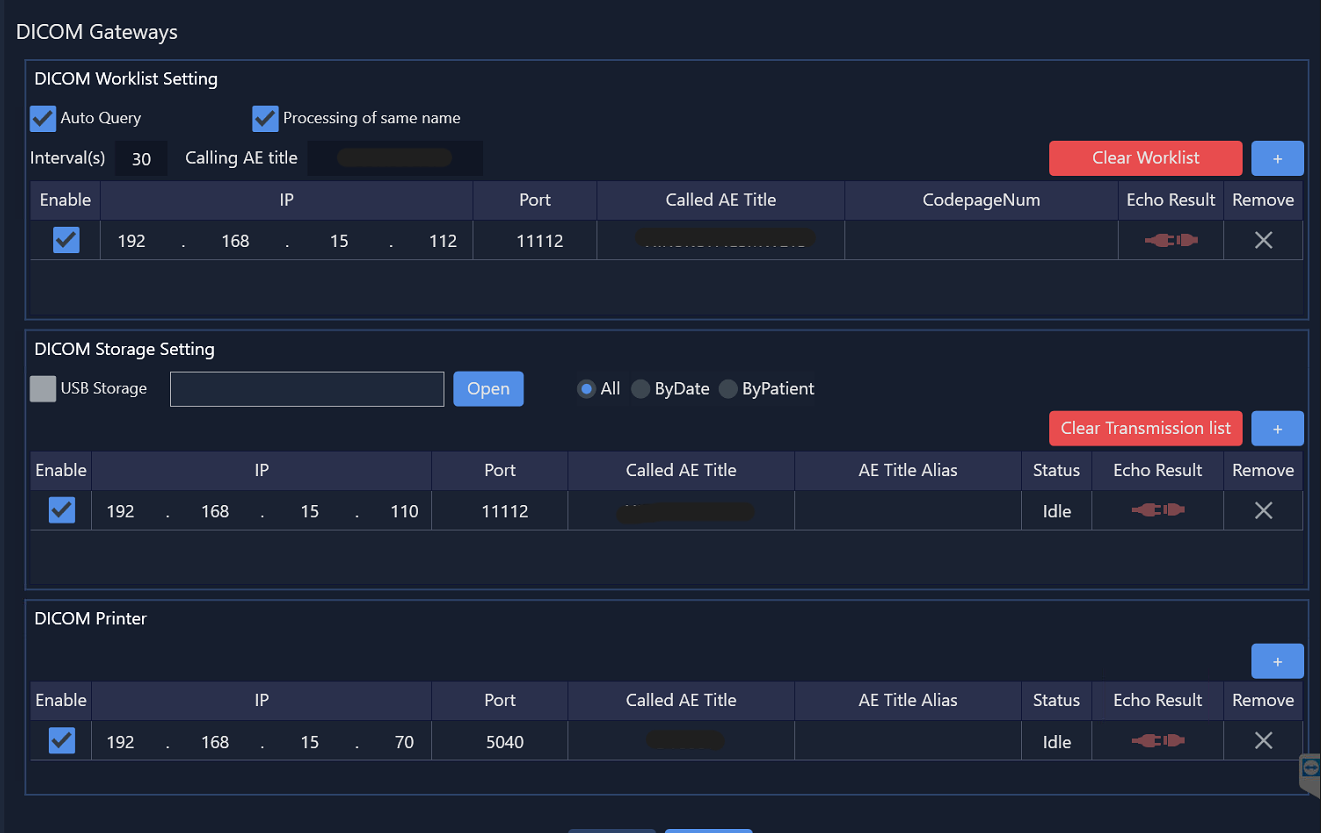
  • Full DICOM 3.0 compliance with C-STORE, C-FIND, C-MOVE, and C-PRINT services
  • Optional HL7 interfaces for automated order and result transmissions
  • Auto-routing features distribute images based on predefined criteria
  • Multi-AE Title support enables operation of multiple logical nodes
  • Supports secure DICOM transfers with TLS encryption
Interoperability & System Integration

Specifications

ItemSpecification
Hardware Requirements (Minimum)Intel Core i5 CPU, 8 GB RAM, 512 GB SSD, Windows 10 Pro (64-bit)
Hardware Requirements (Recommended)Intel Core i7 or higher, 16+ GB RAM, 1 TB SSD with backup redundancy, Windows 11 Pro (64-bit)
GPU AccelerationSupports dedicated GPU acceleration (OpenGL 3+ compatible) for high-performance image processing
DICOM ComplianceFull DICOM 3.0 compliance (C-STORE, C-FIND, C-MOVE, C-PRINT)
HL7 IntegrationSupports ADT, ORM, and ORU message types
Image Export FormatsDICOM, JPEG, BMP, TIFF, DICOMDIR

Elevate your diagnostics with AspenView

Questions?

Reach us via email or phone!

Give Us A Call

(+1) 214-257-0113

We are happy to answer any questions about our solutions